
BROWSER WORKSTATION / WEBGL2
Entoptic
Patch the signal.
Keep the experiment.
Build a visual rack from typed signal devices. Inspect the image as you work, undo a change, and preserve a patch you can return to.
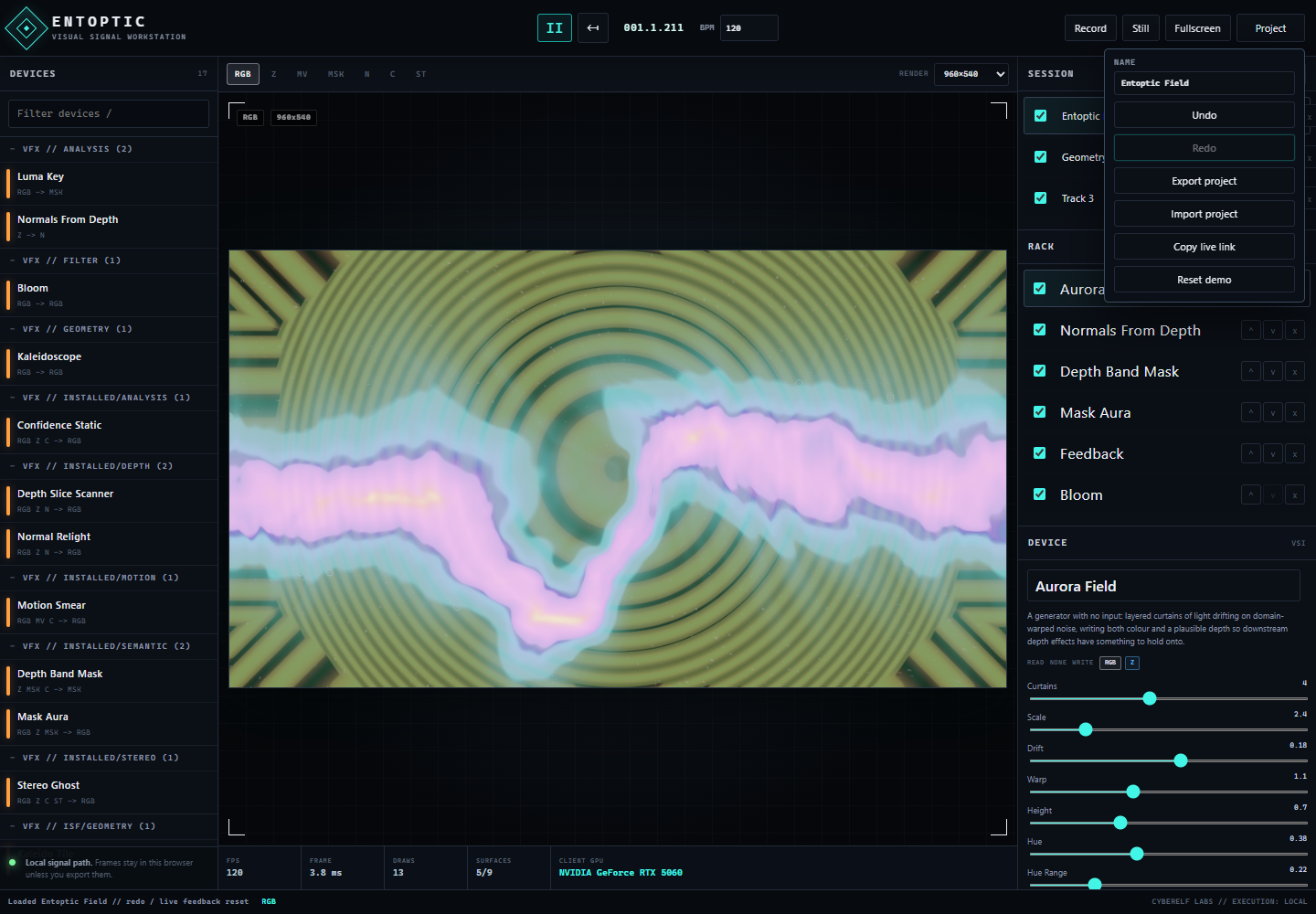
- 01
Open the workstation in a browser with WebGL2. Start from a preset and inspect its device chain.
- 02
Change a device or add a track. Use undo and redo to compare the patch before and after your edit.
- 03
Export the project. Import it again to restore the rack; an unsupported device rejects the import without replacing the active project.
RUNTIME BOUNDARY
The browser is the instrument.
Rendering uses the client GPU. Camera devices require the browser’s permission and a working camera. Browser operation does not imply parity with the desktop Digital Vision Workstation. Project edits have transactional loading and cleanup; shared shader compilation is checked separately from media-device access.